Tracking food shouldn’t take longer than eating it.
Snap your meal, scan a barcode, or describe what you ate. Get it logged and get on with your day.
Check your email We sent a confirmation link to .
You’re on the list. We’ll email you when MyMacroMentor is available.
See how it works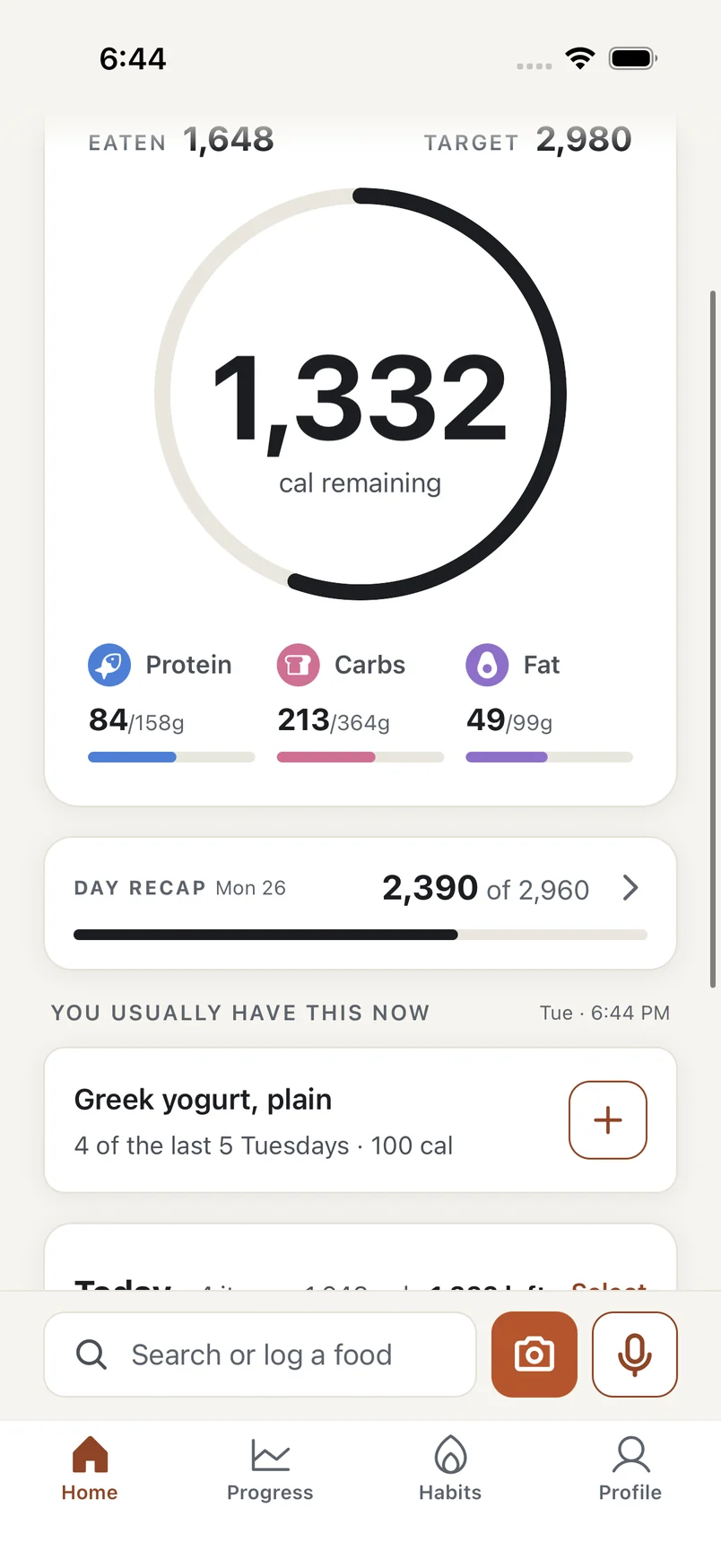
Tracking helps. All the tracking? Not so much.
Most of what you eat, you’ve eaten before. MyMacroMentor is built around that, and around the meals you haven’t.
Same breakfast. Zero searching.
The foods you log regularly are ready when you need them. Have Greek yogurt most Tuesdays and it’s waiting at the top of Home on Tuesday. Tap + and it’s logged.
Usuals are Premium.
-
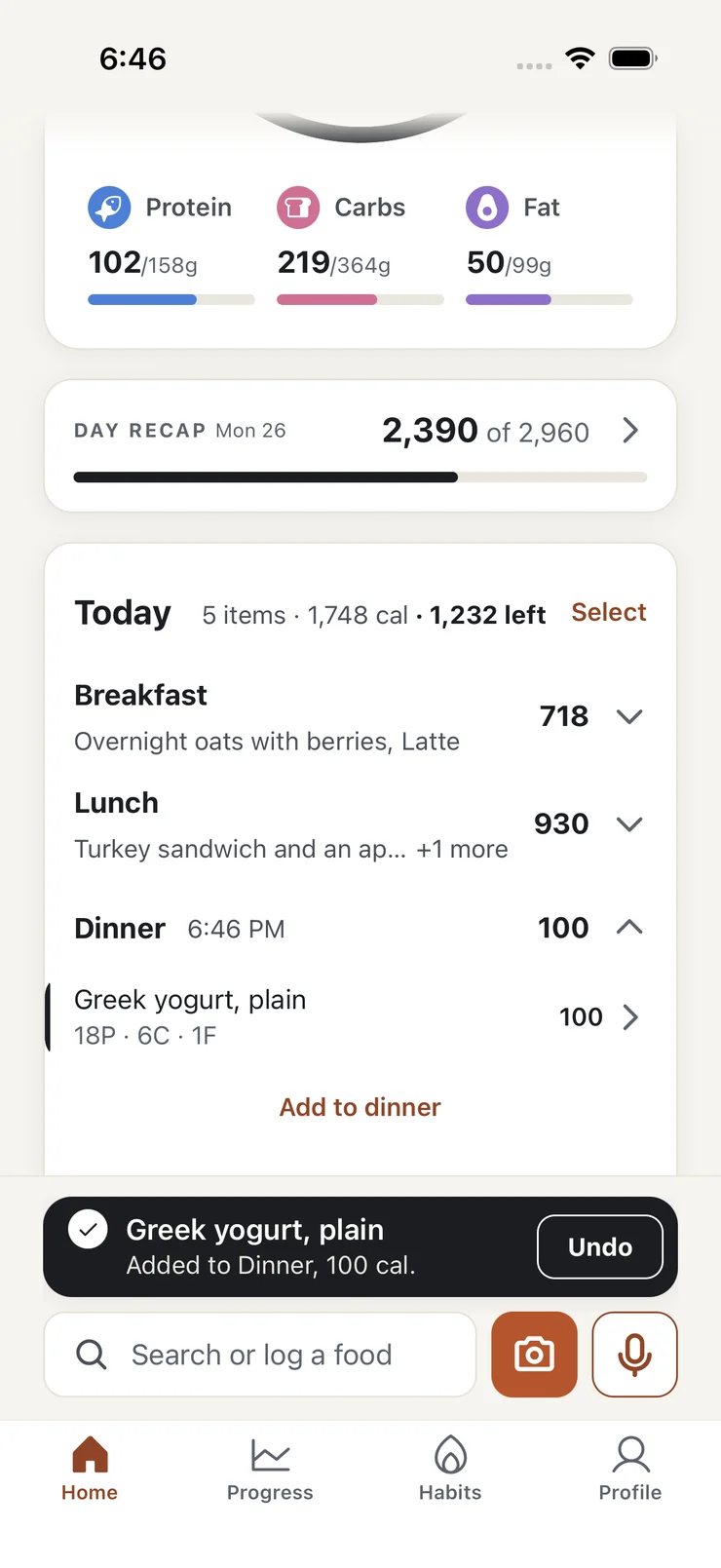
On Home. Logged, with Undo right there.
-
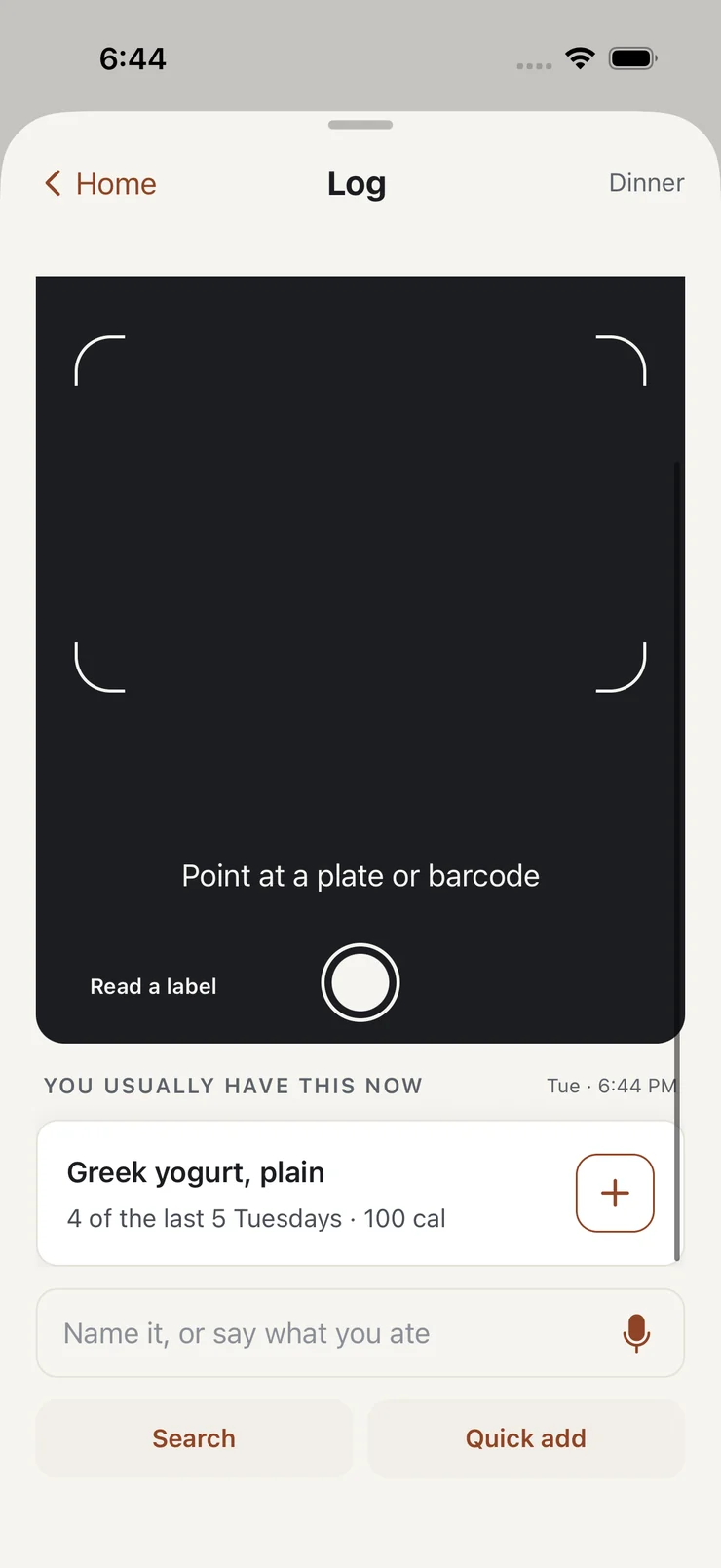
In the log. Your usuals wait under the camera.
Sometimes it’s a barcode. Sometimes it’s dinner on a plate.
The log opens on the camera. Point it at the plate or the barcode, or tap the mic and say what you had.
-
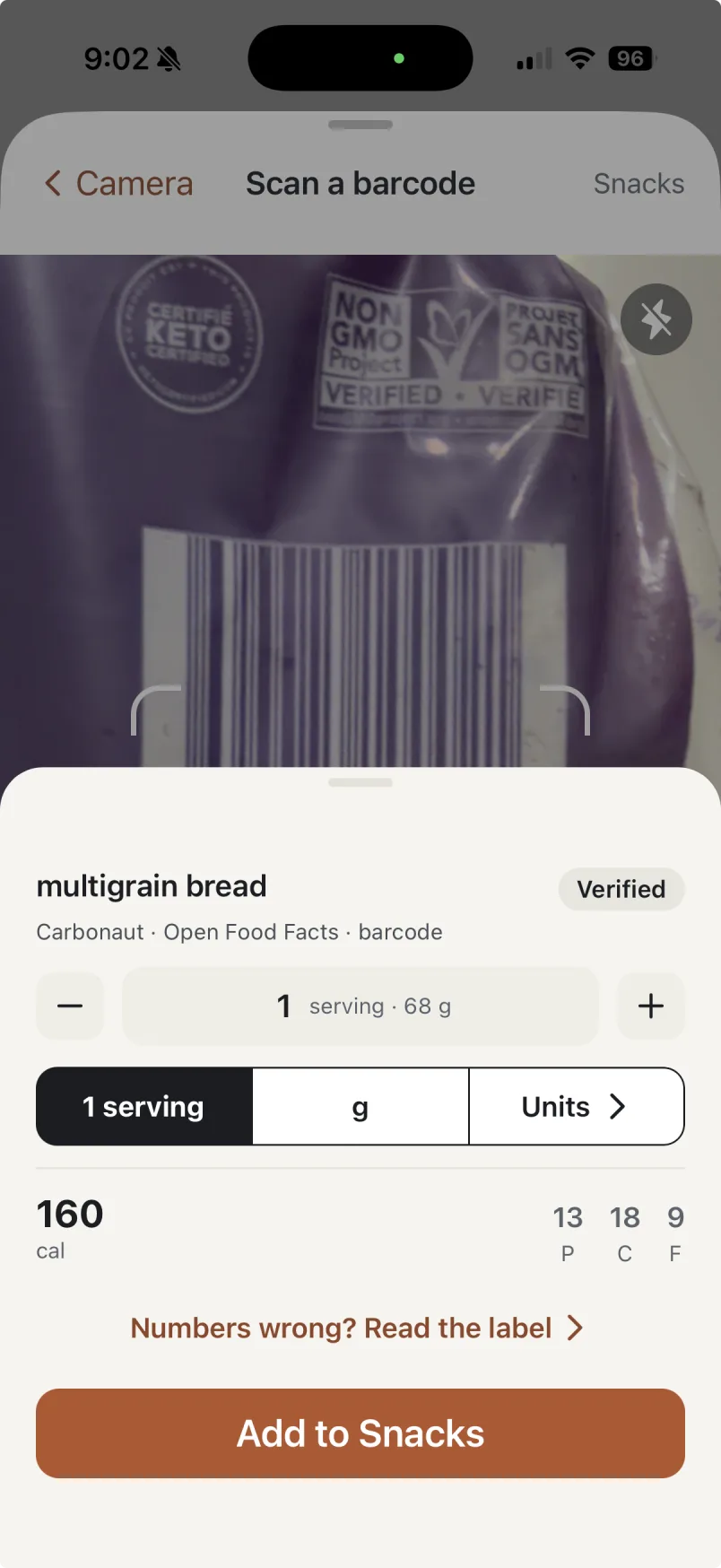
Anything with a barcode
Scan it and the product comes up with its label numbers.
-
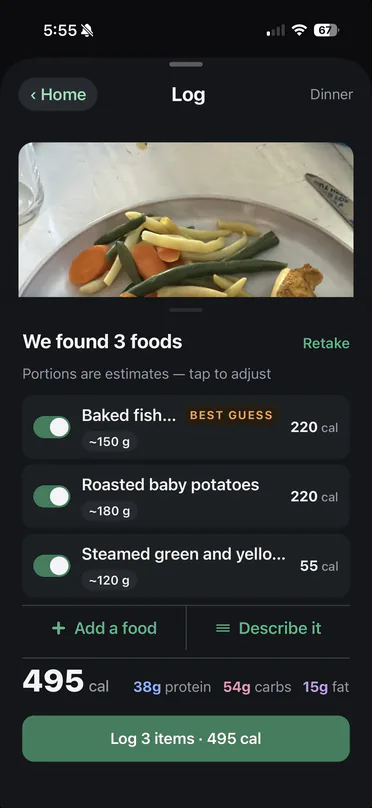
Dinner on a plate
Take a photo. Turn off anything you didn’t eat, then log the rest.
-
Breakfast you already ate
Say it in your own words. You check each food before it’s logged.
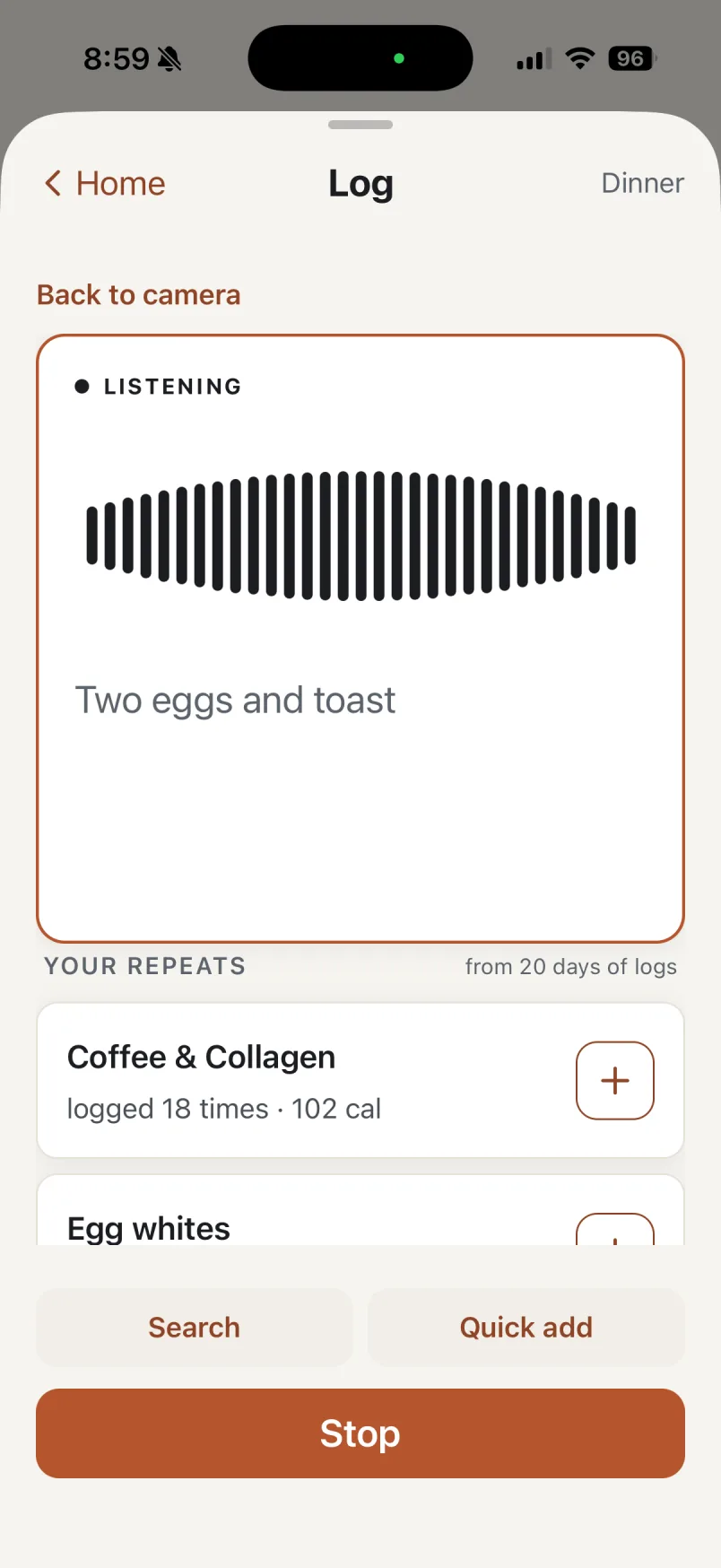
Photo and voice logging are Premium. Barcode scanning is free for your first two weeks.
Because real life doesn’t follow a meal plan.
A pot of chili on Sunday, a Wednesday when nothing got logged, and the recap at the end of the week. Here is what the app does with each.
-
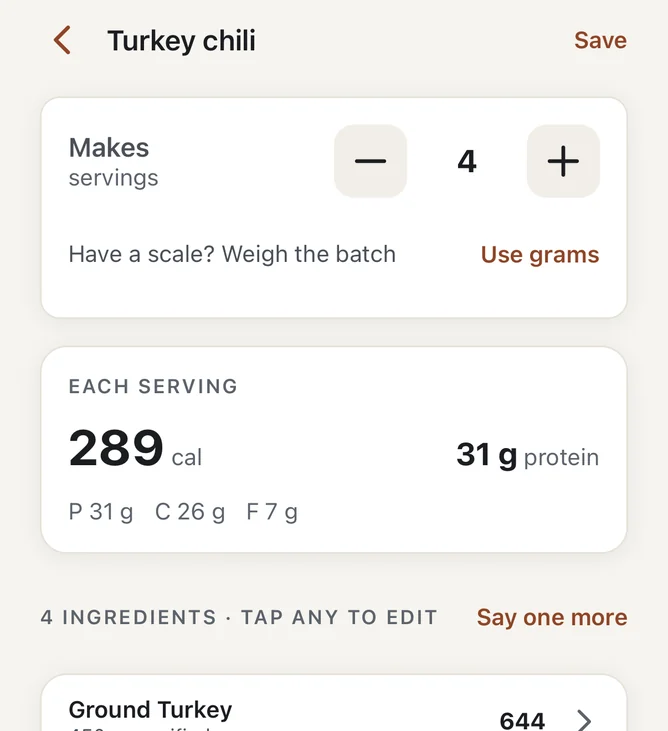
When you cook
Add the recipe once. Log the serving you ate, worked out from the whole pot.
-
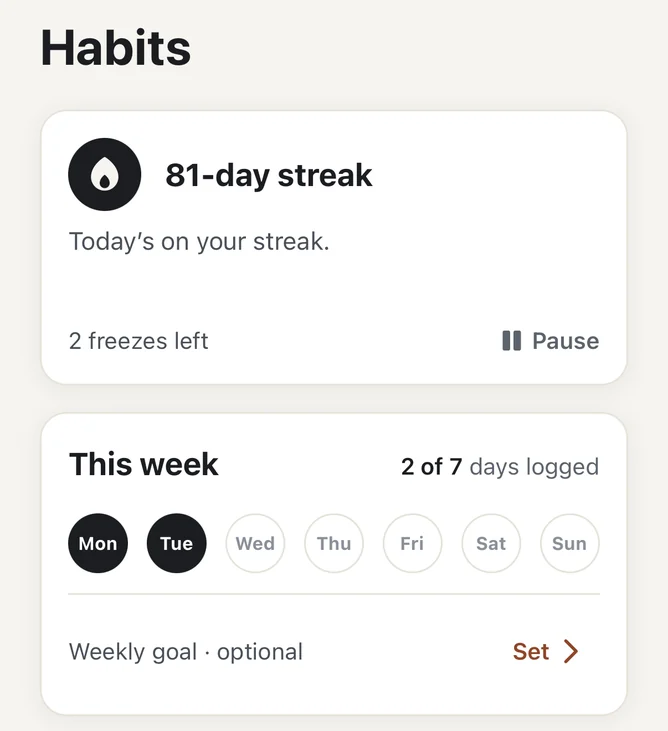
When you miss a day
With Premium, a freeze covers a missed day and Pause holds your streak through a holiday.
-
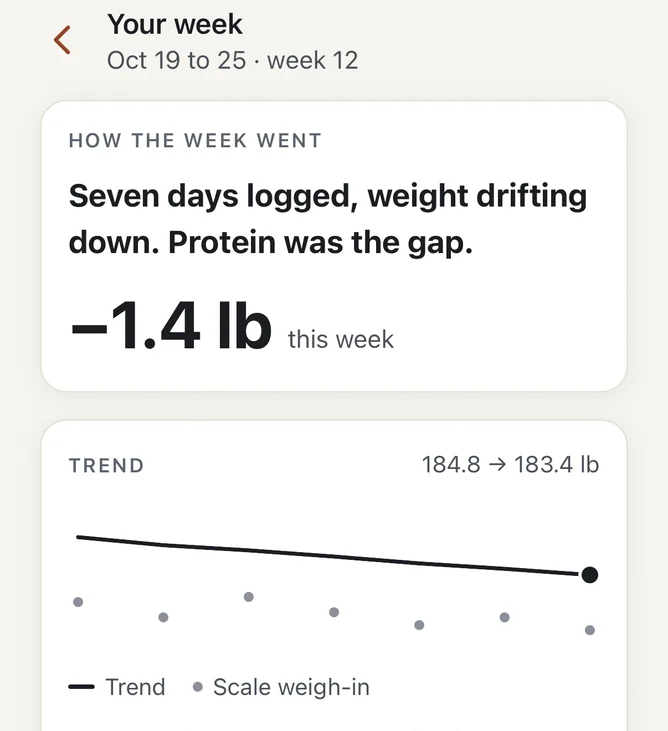
At the end of the week
Sunday’s recap: how many days you logged, which way your weight is moving, and how often you hit protein. When your weigh-ins and logs say so, your target moves, and the recap says why.
Recipes, freezes and the week recap are Premium.
See every featureTry Premium free for 14 days.
Both plans start with 14 days free, if your Apple ID hasn’t had a free trial before. You start them in the app when you choose a plan.
-
Free
US$0
for the everyday log
Search, quick add, today’s ring and macros, your weight trend and last two weeks of history, your streak, badges and reminders. Barcode scanning for your first two weeks.
-
Yearly
SAVE 58%US$49.99
a year, after 14 days free
US$4.17 a month
Adds barcode scanning past your first two weeks, photo, label and voice logging, usuals, recipes and saved foods, day and week recaps, a target that adjusts each week, your whole history, milestone moments, streak freezes and pause, and Apple Health.
-
Monthly
US$9.99
a month, after 14 days free
The same, billed each month.
With notifications on, we remind you on day 12. Nothing is charged before day 14. Cancel any time in your App Store settings. If Premium ends, you’re back on the free plan with your log still on your phone.
Prices in US dollars. The App Store shows your local price.
Plain answers.
When can I get it?
It isn’t out yet. The app is built, and we’re finishing privacy work and App Store preparation.
Will I have to pay?
No. The free plan covers the everyday log: search, quick add, today’s ring and macros, your weight trend and last two weeks of history, your streak, badges and reminders, and barcode scanning for your first two weeks. Premium is US$9.99 a month or US$49.99 a year, and both start with 14 days free; it adds barcode scanning past your first two weeks, photo, label and voice logging, usuals, recipes and saved foods, day and week recaps, a target that adjusts each week, your whole history, milestone moments, streak freezes and pause, and Apple Health.
Is my data safe?
Your log is kept on your phone. Photos and descriptions you log are sent for analysis so the app can estimate them. We don’t sell your data or share it for advertising. The Privacy Policy has the details.
Can I fix a food the app got wrong?
Yes. Photo and voice results are estimates you check before anything is logged. After that, open the meal to change an amount or remove a food.
Will it work on my phone?
It’s on iPhone first. Android is planned, with the same sign-in.
How precise do I have to be?
As precise as you like. Weigh in grams when it matters. A barcode, a photo or a rough portion is fine when it doesn’t.
How low will it set my calories?
Never below a safety floor. Anything lower is a level to set with a dietitian or doctor, and the app says so.
Be among the first to try MyMacroMentor.
Leave your email and we’ll let you know when it’s available.
Check your email We sent a confirmation link to .
You’re on the list. We’ll email you when MyMacroMentor is available.
Questions? info@mymacromentor.com